When is offline support worth including?
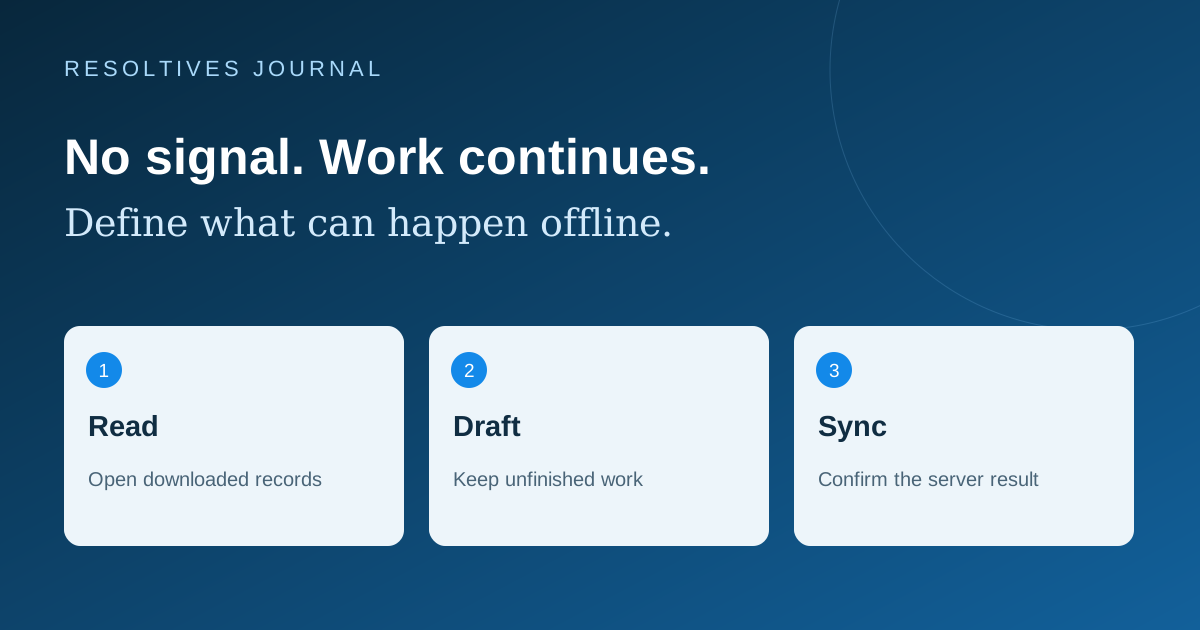
Include offline support when losing a connection would interrupt a core task or destroy work that is difficult to recreate. Scope the specific tasks that must continue: viewing a downloaded itinerary, completing an inspection checklist or saving a draft. You do not need to make every part of an MVP work offline. Live availability and final server approval can remain online where the product requires them.
Start with a practical question: what should the person be able to finish in airplane mode? If the answer is only “see a useful message and try later,” a full synchronization system may be unnecessary. If the answer involves recording work at a property, venue or remote location, offline behavior belongs in the initial brief.
What are the main levels of offline support?
Use this table to define the product boundary. These suggested levels describe user behavior, not a fixed technical package. Two apps can both claim offline support while offering very different experiences.
| Scope | What the person can do | What still needs a connection |
|---|---|---|
| Online workflow with clear recovery | Understand the failure and preserve unfinished input where agreed | Load current records and complete the server action |
| Offline reading | Open information deliberately downloaded or cached earlier | Fetch missing records and confirm that information is current |
| Offline drafting and later sync | Create agreed records locally and see what is waiting to upload | Validate the server result and resolve rejected or conflicting changes |
Which workflow should come first?
Choose one valuable journey and write its limits. For an illustrative property-inspection app, an MVP might download assigned visits, let the inspector complete a checklist and save photos locally, then upload the work when connected. It could leave assigning new visits and approving reports online. This is a proposed scope example, not a claim about a delivered Resoltives project.
For a travel app, downloaded itinerary details may help someone abroad even when booking changes still require a connection. Ask users which information they need before a trip and which can become misleading when stale. Show when the information was last refreshed and avoid presenting cached availability as a confirmed reservation.
Android’s offline-first architecture guidance separates local and network data, and distinguishes reading from writing. The buyer’s decision is therefore more specific than “add an offline switch”: name the data to store and the actions allowed against it.
How should the app explain saved and synced work?
Use status language that matches the result. “Saved on this device” should mean the draft is locally stored. “Waiting to upload” should remain visible until delivery completes. “Synced” should mean the agreed server action succeeded. A loading spinner alone gives a field worker little confidence about whether it is safe to close the app.
Agree what survives closing and reopening the app, restarting the phone and temporarily signing out. Ask for a recovery design for failed uploads, limited storage and expired access. A locally saved draft is not automatically a backup against losing or damaging the device.
Photo-heavy workflows need their own scope: download and upload limits, thumbnails, progress, failed attachments and whether people can choose Wi-Fi for large transfers. Avoid letting a completed text form conceal missing supporting files.
What if two people change the same record?
Decide this with the business before implementation. If an inspector changes a report while a manager updates the assignment elsewhere, which changes can be combined and which need a decision? A newer timestamp alone does not explain whose change is appropriate.
Cloud Firestore, for example, documents offline caching and synchronization, with last-write-wins behavior for multiple changes to the same document. See its offline data guidance. A database’s default behavior does not replace your product’s conflict rules. Review those rules before choosing a library or promising automatic merging.
For a limited MVP, consider keeping inspection entries separate from assignment records, or allowing only one person to edit a particular draft. Those are design options to assess, not universal solutions. More complex shared editing should be estimated separately. If roles are still undecided, the roles and permissions guide provides a starting point.
What information should stay on the device?
Create an inventory of the records and attachments required for offline tasks. Set limits on what is downloaded, who can open it and when it should be removed. Include shared-device use and account switching in the design. Your team should demonstrate that a second user does not inherit the first user’s local records.
Ask how the app handles a permission change made while the device is disconnected. An offline device cannot receive a server-side change until it communicates again. Agree which tasks may continue on previously granted access and which must wait for a fresh authorization check. Have the implementation team explain protection for stored data and the remaining limits.
What should the acceptance test demonstrate?
Write an observable result for each test, rather than accepting “offline supported” as a single checkbox. Test on the device types included in the scope.
- Open the app without a connection before any data has been downloaded; see an accurate empty state.
- Download the agreed records, disconnect and complete the core offline task.
- Close and reopen the app while disconnected; verify the promised draft persistence.
- Reconnect after changing the same record elsewhere; demonstrate the chosen conflict rule.
- Interrupt an upload and retry; confirm that records or attachments are not duplicated.
- Restore connectivity after access expires; preserve recoverable work and show the required next step.
- Switch users on a shared device and check local data isolation.
How should offline work appear in the proposal?
Name the supported tasks, data limits, device coverage, synchronization rules and failure tests. Separate optional features such as large media transfers or collaborative editing. A meaningful estimate depends on those decisions; “offline mode” by itself is too broad to compare quotes.
Use the mobile app proposal checklist for the wider scope. For a mobile app connected to a SaaS platform, include backend changes in the same discussion. Send Resoltives the one workflow that must survive a lost connection, and we can help define a practical first release.
Sources and further reading
These official resources support the technical guidance in this article.
Put the thinking
into your project.
Tell us what you are planning. We can help turn the requirements into a clear scope.